Password-Protecting Your Wedding RSVP Page
Helping you decide when—and how—to lock down your RSVP link with calm, practical guidance.
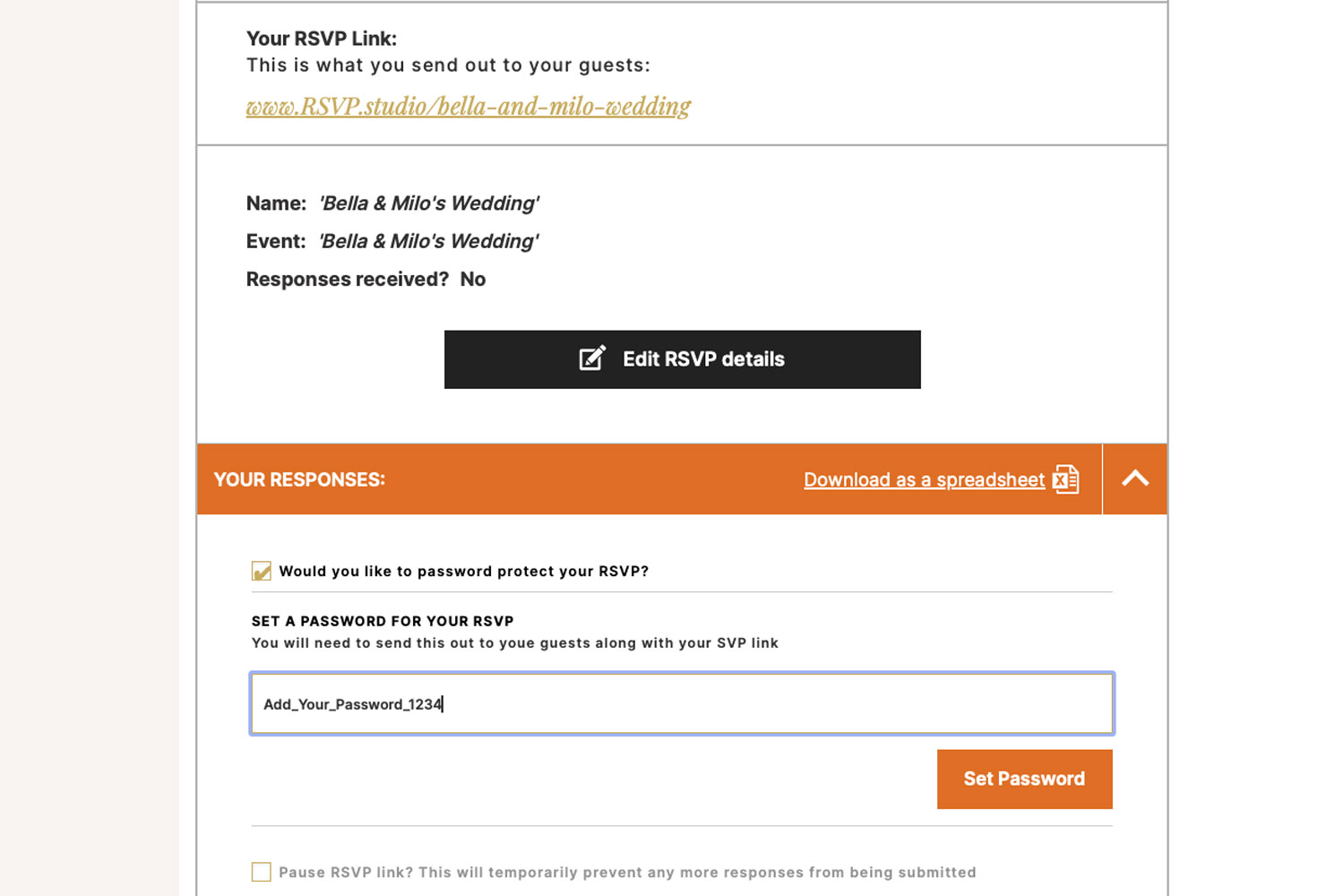
Secure your RSVP.studio weddings page by setting a password, ensuring only invited guests can access and respond to your event online.
Why couples choose to password-protect an RSVP
For many weddings, a simple shareable link is all you need. But there are times when adding a password to your RSVP page is the sensible, stress-saving choice. If you’re inviting a small group, have public-facing jobs, are planning across multiple events, or you’re simply cautious about the link being reposted more widely than intended, password protection keeps your guest replies tidy and private.
This guide focuses on using the password option in RSVP.studio, our digital RSVP website for weddings. It explains when a lock is helpful, how it works, how to share the password with invited guests, and how the feature helps prevent uninvited responses—without adding faff to your planning.
1) When password protection makes sense
High-profile or privacy-conscious couples. If you or close family are public online, a password adds a polite barrier between your day and casual browsers. It prevents a shared link from turning into unexpected RSVPs.
Events with limited or sensitive guest lists. Micro-weddings, elopement celebrations, or ceremonies with space constraints benefit from an extra check that the person replying is someone you invited.
Multi-day schedules. When your celebration includes a rehearsal dinner or next-day brunch, a password helps keep the main link private while you use RSVP.studio’s sub-event selector to track who’s where and when.
Group chats and social feeds. Links spread fast on WhatsApp and social media. A password nips accidental forwards in the bud, so only people who’ve received both the link and the password can respond.
You’d like a simple “first gate”. RSVP.studio already includes plus-one and child-attendance controls to reduce surprises. A password complements these settings by adding a short, friendly check at the door before anyone sees your event details and form.
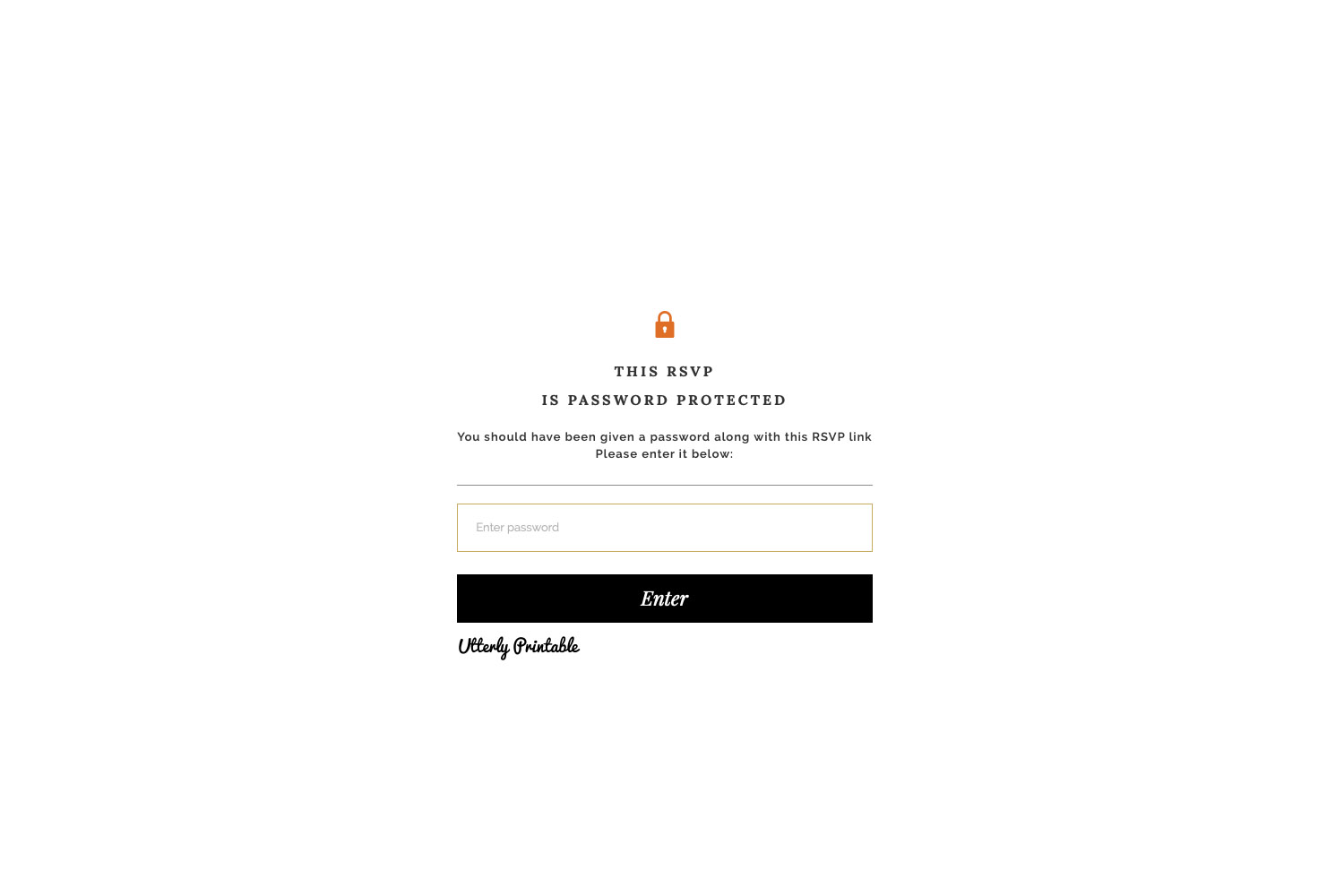
Keep your guest list secure with this RSVP.studio weddings password-protected RSVP page, featuring a simple and elegant design.
2) How password protection works in RSVP.studio
What it is: A quick, optional lock on your RSVP web page. Guests who have the password can proceed and submit their replies; those who don’t cannot access the form.
How it helps: It prevents uninvited replies and stops casual visitors from viewing your dates, venues, and contact notes. It works neatly alongside RSVP.studio’s controls for plus-ones, children, and sub-events, and your responses still flow straight into your Utterly Printable account for download as a spreadsheet.
Set up in brief (takes a minute):
- Create or open your RSVP in RSVP.studio and finalise your event details, questions and menu choices.
- Switch on the password lock option.
- Choose a password (see tips below) and save.
- Share the link and password together by text, email, WhatsApp or on your printed invitations (a QR code works nicely).
- If plans change, you can pause RSVPs temporarily and update details; edits publish instantly.
Good to know (practicalities):
- Your RSVP link works worldwide on any device, so guests can unlock and reply on mobiles without an app.
- You don’t need to upload a full guest list—just share the link and password with the people you’re inviting.
- Replies are stored in your account and can be exported to a spreadsheet for caterers and venues.
- If you decide not to use a password, just toggle it off.

RSVP.studio weddings bring a festive touch with chilled champagne bottles on ice, perfect for toasting your special day with guests
3) Best practice for choosing and sharing your password
Pick something guests will remember. A short phrase is usually better than a cryptic code. Think “olivegrove2026” or “A&RBallynahinch”. Avoid personal banking PINs or anything you use elsewhere.
Share it privately and clearly.
- Printed stationery: Add “RSVP online at… Password: OliveGrove2026” beneath your details or alongside a QR code. If you’re planning on-the-day pieces, our range of wedding meal menu templates can carry a discreet reminder for late responders.
- Digital messages: Send the link and password together in one note so nothing goes astray in the thread.
Don’t post the password on public channels. If you share a teaser photo of your invites on Instagram, crop out the password line.
Use RSVP controls to reduce “plus-one” surprises. The built-in plus-one toggle and child-attendance setting help you set expectations. Guests see only what you intend, and the password stops anyone else stumbling in.
Running multiple gatherings? For a rehearsal dinner, ceremony and next-day brunch, RSVP.studio’s sub-event selector lets guests confirm attendance for each part. A single password still protects the overall link while you gather structured replies.
Need to pause or update? You can pause RSVPs at any time (handy after the deadline) and edit your event details. Updates appear instantly on your live link, keeping everyone aligned.
Practical reassurance. There’s no need for guests to create accounts or download an app; they simply enter the password and reply. If a password is mislaid, resend it. If the wrong people gain access, change the password and share the new one privately with your invitees.
Final housekeeping tips
- Decide your custom RSVP URL carefully—once set, the slug can’t be changed later, so choose something simple and shareable.
- Keep your password out of file names and public cloud folders.
- If you’re planning an engagement do or a later celebration, the same approach applies—our engagement party invitations and 25th wedding anniversary invitations pair nicely with a digital RSVP for quick headcounts.

FAQs about password-protecting an RSVP
We’ve collected the most frequent queries we hear from couples using a password on their RSVP.studio page.
Yes. Only guests with the password can view your RSVP form and submit a response. This prevents casual link-clicks or forwards from turning into entries in your guest list.
No app, no account. Guests just enter the password and reply on their phone or computer.
Absolutely. RSVP.studio includes plus-one and child-attendance controls. Use these with the password for a tidy, accurate head-count.
Include it on your printed invitation (or an insert) and in private messages. Avoid posting it publicly. A QR code on your stationery that leads to the link works well.
You can toggle the lock on or off and update your RSVP details; changes publish instantly on your live link. If you change the password, remember to notify invitees.
In summary
Password-protecting your RSVP page is a small step that preserves privacy, protects your event details and keeps replies from uninvited corners at bay. If you’re ready to set up your secure link, start with our digital RSVP website for weddings and toggle on the password when you’re ready to share.
QR codes for wedding RSVPs: how to use them properly
Discover how to use QR codes for wedding RSVPs to streamline your guest responses, manage menu choices, and keep your head-count organized. This guide covers best practices for QR code sizing, placement, accessibility, and setup with RSVP.studio.
Wedding RSVP etiquette in the digital age
Discover how to navigate wedding RSVP etiquette in the digital age, blending traditional invitations with modern online responses. Learn practical tips for sharing web links or QR codes, managing guest details, and keeping your wedding planning elegant and stress-free.
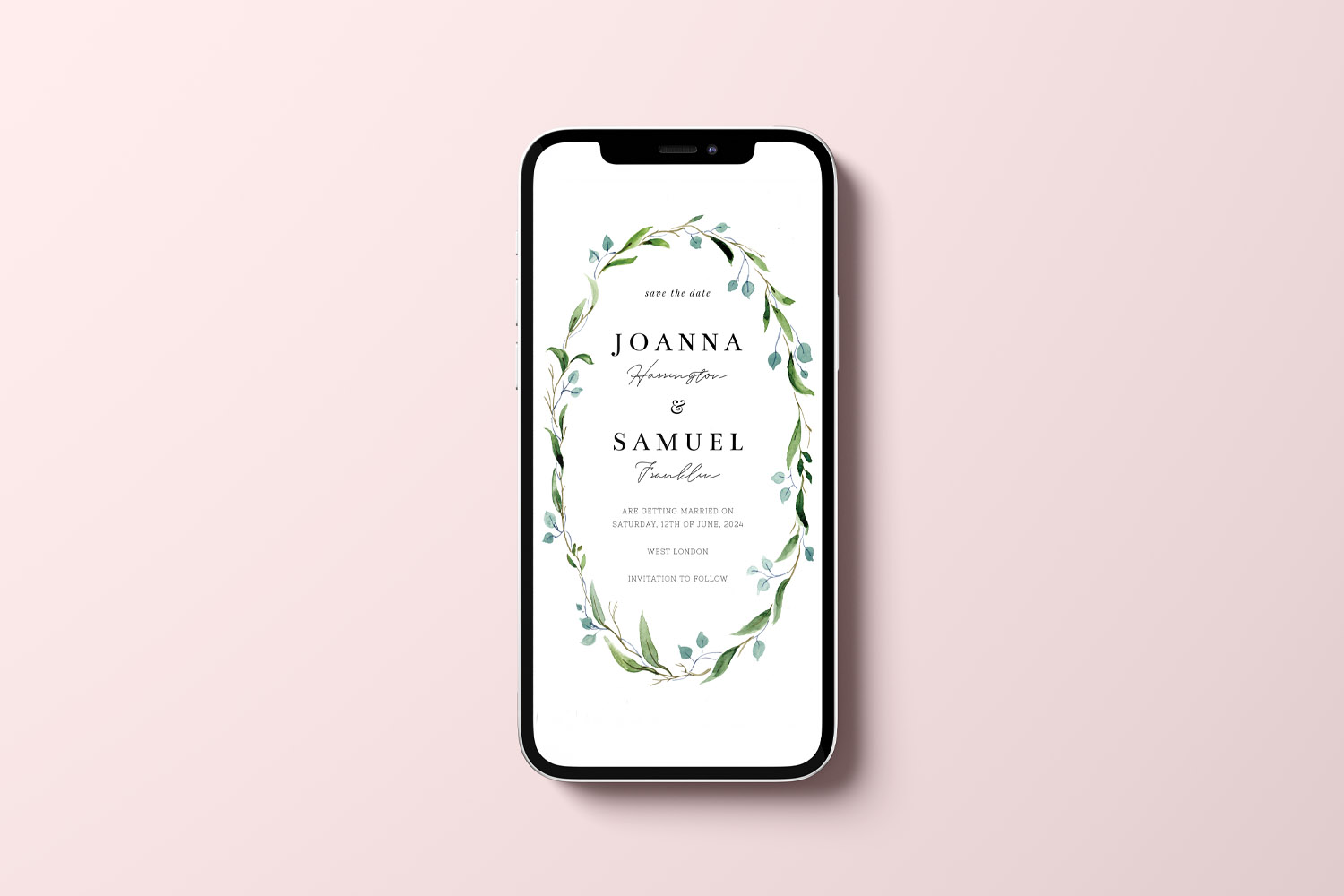
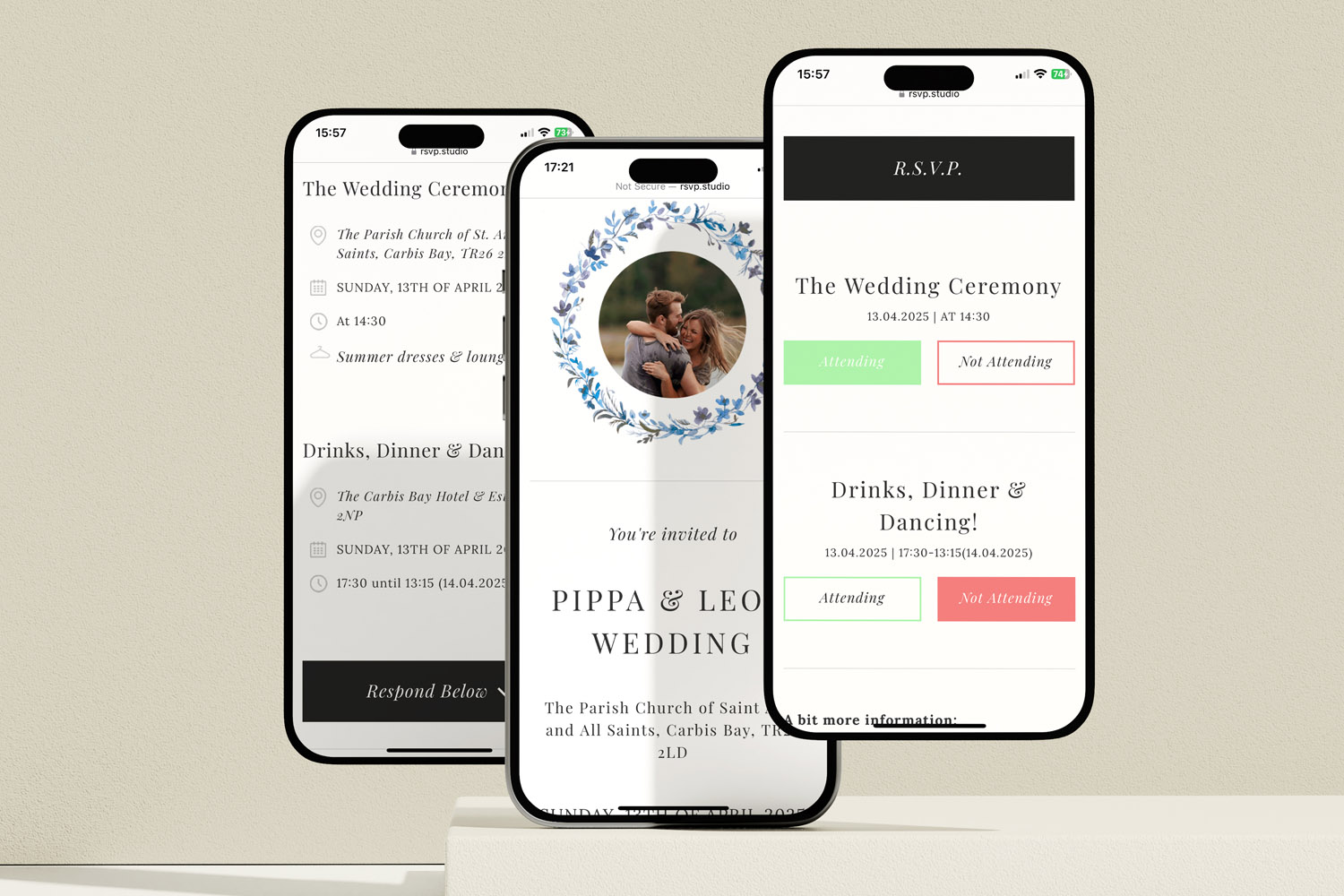
What to ask on your wedding RSVP form
Discover how to create a clear, guest-friendly wedding RSVP form that collects only the essential details for your big day. This guide covers must-ask questions, sample wording, and etiquette tips to streamline your wedding RSVP process.

Discover More with Us
Digital RSVP websites for weddings simplify managing guest responses. Discover blog posts on customising RSVP pages, tracking dietary preferences, and creating a cohesive event experience.